
RAW + JPG, paired.
Orphans, gone.
A lightweight macOS app for photographers who shoot dual-format. Clean up unpaired files and batch-move your picks into Lightroom in seconds.
Free · Open source · macOS 12+ · Apple Silicon & Intel
Two tools. One clean workflow.
PhotoPick speeds up your photo cleanup process.
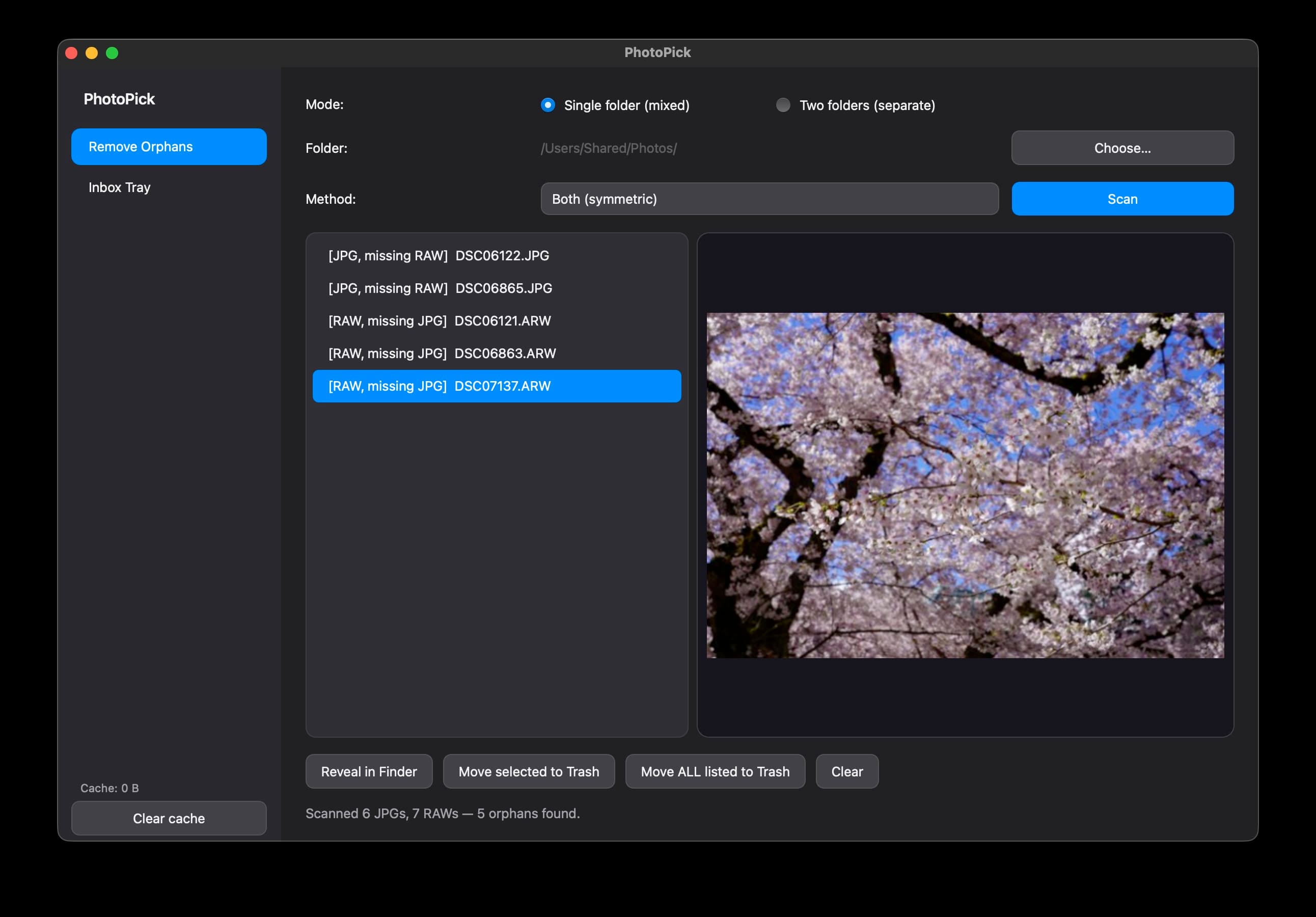
Remove Orphans
Scan any folder and safely trash RAW or JPG files that have lost their pair — so your catalog stays consistent and clean.
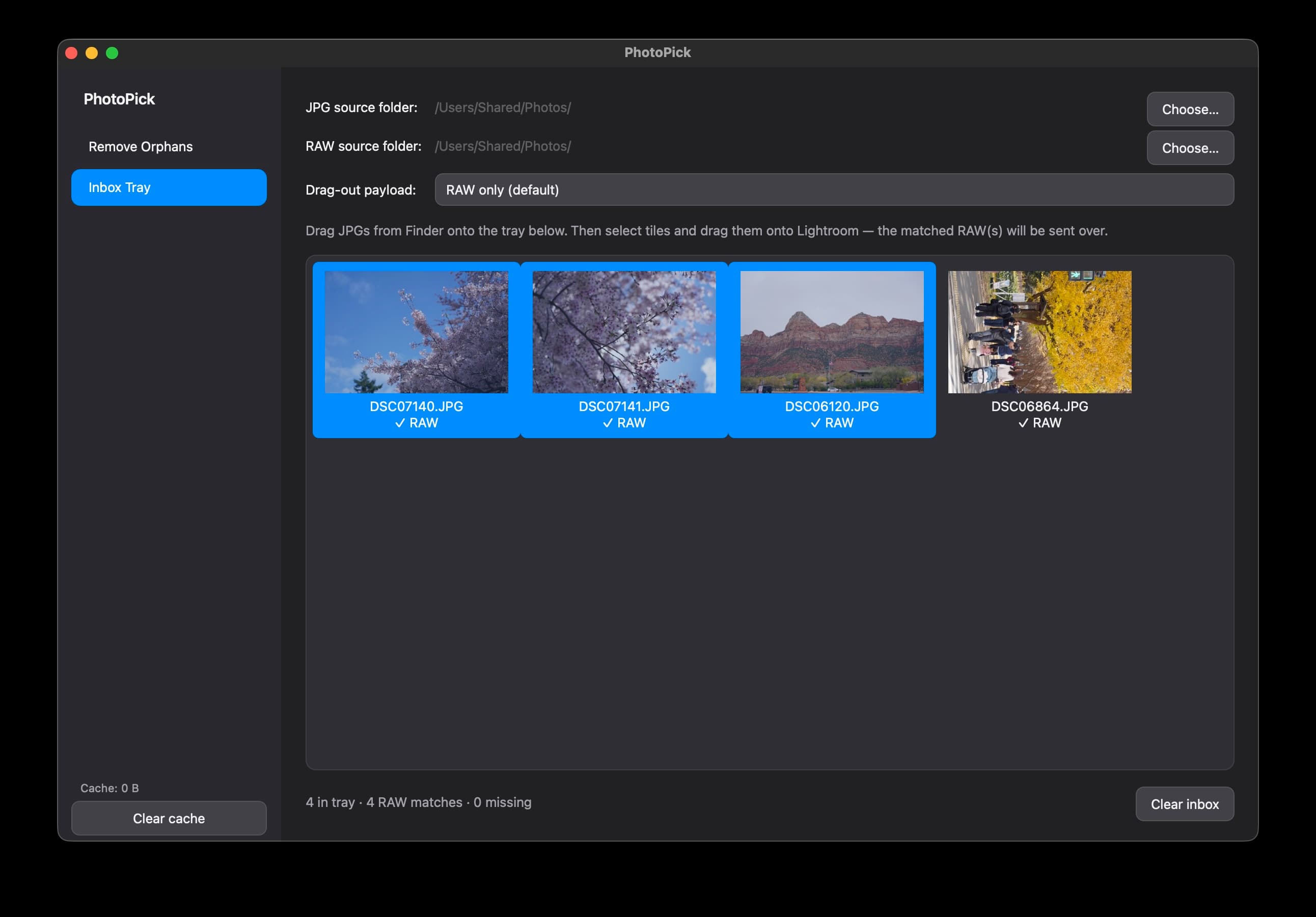
Inbox Tray
Drag the JPG keepers you like into the tray, then move their matched RAWs into Lightroom or any folder — all in one click.
See it in motion.
Supported RAW formats
Frequently asked questions
- What does PhotoPick do?
- PhotoPick helps macOS photographers who shoot dual-format (RAW + JPG). It finds unpaired files so you can trash them, and lets you drag JPG keepers into an Inbox Tray to batch-move their matching RAW files into Lightroom or any folder.
- Which RAW formats does PhotoPick support?
- Canon (.cr2, .cr3), Nikon (.nef), Sony (.arw), Fuji (.raf), Pentax (.pef), Panasonic (.rw2), Sigma (.x3f), Olympus (.orf), and Adobe DNG — paired against .jpg / .jpeg.
- Is PhotoPick free?
- Yes. PhotoPick is free and open source under the MIT license. Source code is available on GitHub.
- Does PhotoPick run on Apple Silicon?
- Yes. PhotoPick runs natively on both Apple Silicon and Intel Macs. macOS 12 Monterey or later is required.
- macOS says PhotoPick "is damaged" or "is malware". How do I open it?
PhotoPick is ad-hoc signed and not notarised by Apple, so Gatekeeper blocks the first launch. The app isn't actually malicious — pick either fix below, you only need to do it once.
Option A — Terminal (one command)
sudo xattr -dr com.apple.quarantine /Applications/PhotoPick.appThen double-click PhotoPick normally.
Option B — GUI (no Terminal)
- Double-click PhotoPick so the warning appears, then click Cancel (not “Move to Trash”).
- Open System Settings → Privacy & Security.
- Scroll to the Security section. You'll see “PhotoPick was blocked to protect your Mac.”
- Click Open Anyway and authenticate with Touch ID or your password.
- Launch PhotoPick again and confirm Open in the follow-up dialog.
On macOS Sequoia the older “right-click → Open” trick no longer works — the dialog only offers “Move to Trash”, so use Option A or Option B.
* Actual risks are at your own discretion.
Ready to clean up your catalog?
PhotoPick is free and open source. Grab the latest build or build it yourself from source.
macOS 12 Monterey or later · Apple Silicon & Intel